


Maximize Savings!



 2M+ already
using this app
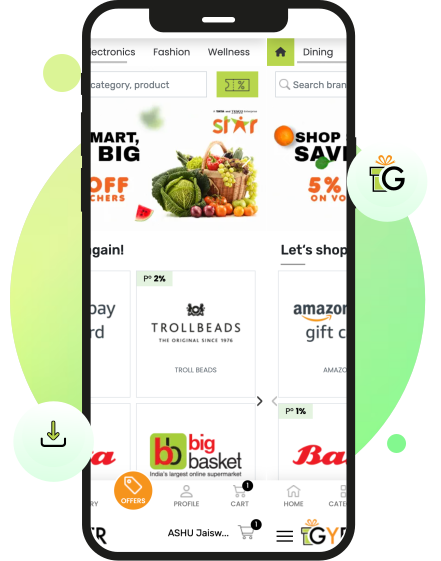





































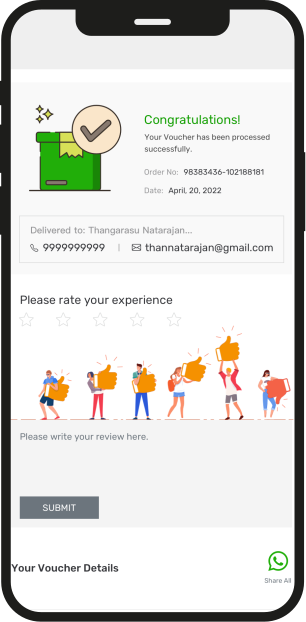


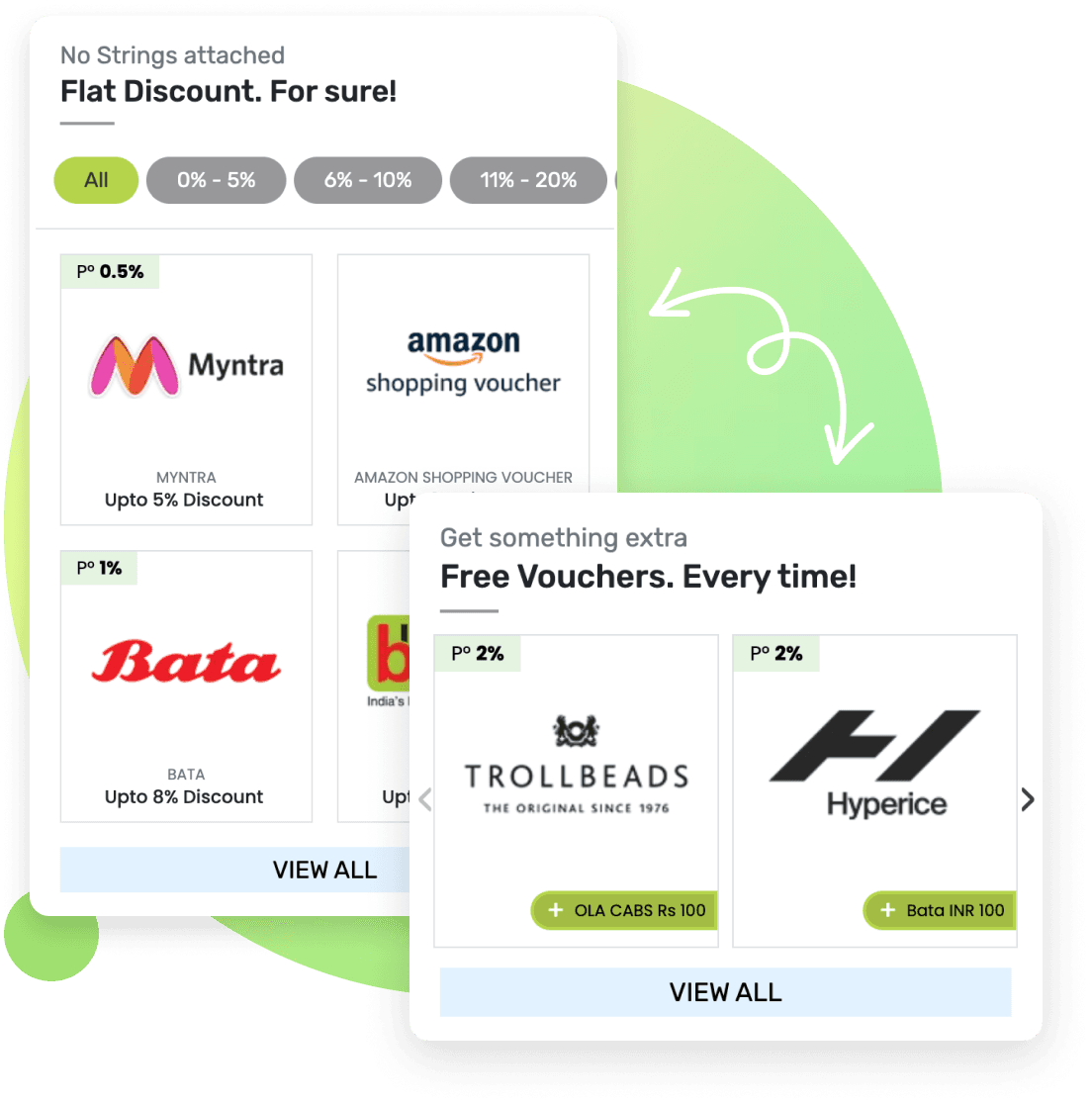


Are You Looking For Online Gift Cards?
If you want to save money every time you shop, then the GyFTR App is the only platform you need on your phone. We provide a massive catalog of digital Gift Vouchers and Gift Cards for more than 300+ top brands across India. Whether you are looking to buy gift cards online for your daily groceries or searching for luxury gifts for men and women, our app is the perfect destination. You can instantly access the most popular vouchers, including the Amazon gift card, Flipkart gift card, Swiggy gift card, Myntra gift card, Ajio gift card, Nykaa gift card, Zomato gift card, Pantaloons gift card & 300+ top brands. Perfect for 2026 celebrations like Holi gift ideas 2026, Diwali 2026 gifts, and Christmas 2026 vouchers with instant delivery.
The GyFTR App is built for the smart consumer who wants an upfront discount on every purchase. Get a new voucher delivered via SMS for your next purchase. Stack multiple voucher codes during checkout for bigger savings (check Brand Voucher T&Cs to know more). We offer upto 40% OFF on your favorite brands so you never have to pay full price again. Our platform is the perfect place to find birthday gift ideas, anniversary gift ideas, and Diwali gift ideas. From a wedding gift card to a Valentine gift card for that special someone, we cover every single occasion. You can also explore specific categories like travel gift cards, online grocery vouchers, or health and wellness gifts.
Maximize your benefits by checking out the latest credit card offers and debit card offers available through the app. Our seamless interface ensures you get instant delivery of your gift voucher via SMS or WhatsApp with zero convenience fees. No more waiting for physical cards or dealing with delivery delays. Everything you need is delivered digitally in seconds. Whether you are looking for a Swiggy voucher for your next meal or searching for an appliance upgrade, our app keeps you ahead of the game. Buy a voucher today and enjoy upfront discounts up to 40% OFF.
How To Redeem A Gift Voucher
Redeeming your GyFTR gift card or brand voucher is a seamless process designed for the modern digital shopper. Whether you have purchased a Swiggy voucher for a quick meal or an Amazon gift card for your shopping list, the steps remain simple and efficient.
Redeeming Your Voucher Online
- Open the GyFTR App and navigate to your order history to find your 16-digit voucher code and 6-digit PIN.
- Visit the official app of the brand where you want to shop.
- Add your favorite products to the cart and proceed to the checkout page.
- Select the Gift Card or Voucher option in the payment section.
- Enter your GyFTR voucher code and PIN carefully.
- The voucher value will be instantly deducted from your total bill amount.
Many top brands like Amazon, Myntra, and Nykaa allow you to add the gift card balance directly to your brand wallet. This allows you to stack multiple vouchers and save them for upcoming sales.
Redeeming Your Voucher Offline At A Store
- Use the Outlet Locator feature on the GyFTR App to find a participating store near you.
- Shop for your preferred items at the outlet.
- At the billing counter, inform the cashier that you will be paying via a gift voucher.
- Share the voucher code received on your GyFTR App, SMS, or WhatsApp.
- The cashier will verify the code and apply the discount to your final bill.
Whether you are using a Pantaloons gift card for a fashion upgrade or a lifestyle voucher for luxury gifts for women, the process is built to be lightning fast. Always ensure you check the specific terms and conditions on the brand page within the app to see if you can combine your voucher with existing store discounts. Discover luxury gifts for women like Nykaa or Ajio Luxe vouchers on GyFTR. Luxury gifts for men like Armani Exchange or Coach vouchers await on GyFTR.
Redeem your voucher instantly on the GyFTR App for seamless shopping! Every voucher from GyFTR saves you time and money on top brands.
Understanding Digital Gift Vouchers And Gift Cards
When you choose to buy gift cards online through our platform, you are essentially purchasing a digital currency that offers more flexibility than cash. The gyftr voucher is your key to instant digital gifting. A GyFTR gift card is a prepaid instrument with a specific value that you can use to purchase products or services from a particular brand. Gyftr voucher redemption is simple: enter code and PIN. For example, if you hold a Pizza Hut voucher worth Rs 1000, you can use it to enjoy a meal up to that value at any of their eligible outlets. This makes it a perfect choice for anniversary gift ideas or even simple birthday gift ideas for friends and family. The best gift card app delivers Amazon, Flipkart, and Swiggy vouchers to your phone in seconds, no waiting. Send a gift voucher to friends via WhatsApp with GyFTR.
Why Digital Gift Vouchers are the Smart Choice
Digital Gift Vouchers represent the modern evolution of gifting and personal shopping. Unlike traditional physical cards, these are delivered instantly via email, SMS, or WhatsApp, making them the ultimate solution for last-minute gift ideas. By choosing the GyFTR App, you can access online gift cards for over 300+ top brands and receive them on your smartphone within seconds. Choose a gift voucher for birthdays from 300+ brands. EveryGyFTR voucher arrives in seconds, no waiting. Gift voucher options cover dining, fashion, and travel.
The primary advantage of a digital GyFTR voucher is the combination of convenience and security. You no longer have to worry about the physical loss of a card or courier delays. Because they are digital, you can easily manage them within the app and keep track of your balance for upcoming sales or special credit card offers. Whether you are looking for grocery items through an online grocery voucher or exploring luxury gifts for men and women, digital vouchers provide a seamless and rewarding shopping experience. Using these digital instruments also allows you to benefit from upfront discounts of upto 40% OFF, which is far more efficient than waiting for traditional loyalty points to accumulate.
What Is Im Gyfting On The GyFTR App?
The Im Gyfting feature is a specialized service within our app designed for those who want to send love and appreciation instantly. It transforms the way you handle anniversary gift ideas and birthday gift ideas by allowing you to send a digital gift voucher directly to your loved ones. Whether you are looking for a Valentine's gift card or Diwali gift card, this feature ensures your gift voucher reaches the recipient in seconds via SMS or WhatsApp with a personalised message. It is a modern solution for those seeking to surprise their loved ones with the gifts of choice, along with tailored communications. Quick GyFTR login unlocks all your purchased vouchers instantly.
How To Use The Im Gyfting Feature On Our App
- Open the GyFTR App and select a brand from our extensive catalog of more than 300 top brands.
- Choose the voucher denomination that fits your budget and select the Im Gifting option before proceeding.
- Enter the contact details of the recipient, including their mobile number and email address.
- Select from various themes for different occasions, like a wedding gift card or mothers day gift ideas.
- Add a personalized message to make your gift more thoughtful and unique for the recipient.
- Complete the payment to ensure the gift voucher is sent instantly to their device.
This feature is the ultimate tool for last-minute surprises and thoughtful gestures. By using the GyFTR App, you can share the benefit of upfront discounts of upto 40% OFF with your friends and family. From couple gift ideas to Christmas gift cards, our app makes every occasion special. You can send a Swiggy voucher for a meal or a Nykaa gift card for a beauty treat with just a few taps. This digital approach ensures your gift is never lost and can be redeemed whenever the recipient chooses. No wonder millions choose the best app to buy gift cards when you can gift Swiggy or Nykaa vouchers instantly. Send a GyFTR gift card via WhatsApp for instant gifting. Download GyFTR app now for seamless voucher shopping.
Why Choose The GyFTR App To Buy Gift Cards
The GyFTR App is the most efficient way to buy gift cards online in India. We offer a massive catalog of digital Gift Vouchers for more than 300 top brands, ensuring you always find the perfect gift ideas for any situation. Whether you are shopping for grocery items through BigBasket and Zepto or searching for luxury gifts for men and women through brands like Armani Exchange, Ajio Luxe, and Coach, our app provides an unmatched selection.
The primary reason to use our app is the incredible upfront value we provide. You can access discounts of upto 40 percent OFF on your favorite brands, including the Amazon gift card, Flipkart gift card, Myntra gift card, and Nykaa gift card. We go beyond standard discounts by highlighting exclusive credit card offers and debit card offers from leading partners like SBI and Axis Bank. This allows you to secure the best deals on the market for every GyFTR voucher. During upcoming sales, you can use these vouchers to get extra savings on top of existing brand discounts. Plan ahead for 2026 festivals and personal milestones with instant digital vouchers that never miss a beat. Upcoming sales are better with pre-purchased gift cards online. Prep for upcoming sales by buying gift cards online on GyFTR now.
We understand that timing is everything, especially for last-minute anniversary gift ideas or birthday gift ideas. The GyFTR App ensures instant delivery of your voucher via SMS and WhatsApp directly to your phone. We take pride in offering a transparent experience with zero convenience fees, meaning you only pay for the value of the gift voucher you choose. From a Swiggy voucher for your daily meals to a lifestyle gift card for a fashion refresh, every transaction is processed in seconds. Users call it the best app to buy gift cards because you get 300+ brands with upfront 40% discounts in one place.
Our app is designed to be your companion for every celebration throughout the year. From Diwali gift ideas and Christmas gift ideas to a dedicated Valentine gift card for your partner, we have curated collections for everything. You can even find niche categories like travel gift cards for your next vacation or health and wellness vouchers for self-care. With features like the Im Gyfting option and new additions in gaming vouchers for PlayStation, Steam, and Valorant, we offer a complete experience for every user.
Buy gift cards online today to stack savings during upcoming sales 2026.
Why Choose The GyFTR App To Buy Gift Cards
Choosing the GyFTR App comes with a wide range of premium advantages for every smart shopper. The primary benefit of our platform is the access to massive upfront discounts on more than 300+ top brands with savings of upto 40% OFF. We ensure that your experience is highly flexible by accepting credit card offers and debit card offers from any bank in India. You can also complete your purchase to buy gift cards online using net banking or various UPI options for a quick and secure transaction. One of the most convenient features of the app is the ability to send a digital GyFTR voucher directly to your loved ones. You only need to enter their mobile number or email address, and they will receive their gift card within a few minutes.
Additionally, every e gift card you purchase through our app can come with exciting bonus offers that add even more value to your wallet. Depending on the specific brand you select, you could receive free subscriptions to premium streaming services or access to online fitness sessions and even extra discounts on other popular brands. We constantly update these special deals and rewards, which is why we recommend checking the offers page on the GyFTR App regularly. Whether you are looking for a Swiggy voucher for daily meals or an Amazon gift card for your shopping list, our app is built to give you the most rewarding experience.
Where Are Digital Vouchers Delivered
Digital vouchers purchased through the GyFTR App are delivered instantly to the user via SMS, email, and WhatsApp. This digital delivery system is engineered for speed and reliability, ensuring a seamless gifting experience without any courier delays or physical handling. Once you receive your GyFTR voucher you can choose to redeem it either online or offline depending on the specific terms and conditions mentioned for that brand. This flexibility allows you to use your Flipkart gift card for an online upgrade or your Pantaloons gift card for an in-store fashion refresh.
We prioritize your convenience throughout the delivery process. In the rare event that you experience a delay in receiving your codes, you can easily re-trigger the voucher directly from your account section within the GyFTR App. If you require further assistance or have specific questions about your order, you can contact the support team at gvhelpdesk.com for a quick resolution. Our digital system ensures that your gift ideas for a wedding gift card, birthday gift card, or anniversary gift card are always available on your smartphone in seconds. This makes the app the perfect tool for grabbing an Ajio gift card or Nykaa gift card during upcoming sales with total confidence. Don't miss upcoming sales, buy gift cards online via GyFTR App. Buy gift cards online at discounts before upcoming sales hit.
Install the GyFTR App now for gift card delivery.
Are Vouchers Refundable Or Transferable After Purchase
Managing your digital gift cards with confidence is a priority for every smart shopper. Gift Vouchers and brand vouchers obtained through the GyFTR App provide immediate value and are generally non-refundable and non-transferable once the purchase is confirmed. Because we prioritize secure and instant delivery, these vouchers cannot be blocked or replaced once they are issued to your account. This policy ensures that your GyFTR gift card is always ready for use during upcoming sales or whenever you choose to shop for yourself. We recommend reviewing the specific brand guidelines on the app before you buy gift cards online to ensure they fit your specific requirements for fashion, dining, or electronics.
Sharing your gift voucher with others is a simple and digital process that adds a personal touch to your presents. You can easily copy and paste the 16-digit voucher code and the 6-digit voucher PIN and send them through secure channels like WhatsApp or SMS. This is a convenient and thoughtful solution for those seeking last-minute anniversary gift ideas or birthday gift ideas for their loved ones. Should you encounter any issues regarding your voucher status or transfers, you can raise a formal request at gvhelpdesk.com for a prompt resolution. Whether you are dealing with a wedding gift card, a Swiggy voucher, or gaming gift cards for PlayStation and Steam, our support team is dedicated to providing a smooth experience for every user.
Explore Different Gift Card Categories On The GyFTR App
To ensure you find the perfect voucher for your needs, we have organized the GyFTR App into several distinct and easy-to-navigate categories. We have evolved to offer a more comprehensive shopping experience for every user. On our app, you can explore high-value digital vouchers across the following segments
1 Dining
2 E-Commerce
3 Electronics
4 Entertainment
5 Fashion
6 Gaming
7 Gifting
8 Home Needs
9 Travel
10 Wellness
Each category features more than 300 top brands, allowing you to find everything from essential grocery items and online grocery supplies to specialized health and wellness services.
Premium Dining And Restaurant Vouchers
If you are looking for the best dining experiences or convenient meal deliveries, the GyFTR App is your ideal destination. For those who prefer the comfort of home, you can easily grab a Swiggy gift card or a Zomato gift card to order from thousands of restaurants. If you are a fan of fast food chains, we offer vouchers for popular brands like Domino's, Pizza Hut, and KFC. For coffee enthusiasts and fans of hot beverages, we have included premium options like Starbucks, Tim Hortons, and Costa Coffee. Whether you want a relaxed evening at The Beer Cafe or a grand buffet at Barbeque Nation and Absolute Barbeque, our app provides diverse options for every palate.
Fashion And Lifestyle Brands For Every Style
Upgrade your wardrobe and lifestyle with our extensive collection of fashion and e-commerce Gift Vouchers. You can buy gift cards online for major marketplaces like the Amazon gift card and Flipkart gift card, or explore dedicated fashion platforms using a Myntra gift card, Ajio gift card, or Nykaa gift card. For high street fashion, we offer the Pantaloons gift card and vouchers for brands like Bata and Reliance Trends. If you are searching for luxury gifts for men and women, we have curated a selection of premium brands, including Ajio Luxe, Armani Exchange, and Coach. Our entertainment and gaming sections also feature popular digital credits for PlayStation, Steam, and Zee5, ensuring there is something for every interest.
Thoughtful Gift Ideas For Every Occasion
The GyFTR App is designed to be your go-to destination for every celebration throughout the year. We eliminate the stress of finding the right present by offering a wide range of gift ideas for friends, family, and colleagues. You can find Diwali gift ideas and christmas gift ideas, or select a beautiful wedding gift card for newlyweds. Our platform is also perfect for more personal moments where you might need anniversary gift ideas, birthday gift ideas, or unique couple gift ideas. From specialized Valentine gift ideas for your partner to thoughtful mothers day gift ideas, we help you express your feelings with practical and useful gifts. Whether you need travel gift cards for a vacation or home needs vouchers for a housewarming, our digital codes are delivered instantly to ensure you never miss a special moment. From Diwali gift ideas 2026 and Christmas gift ideas 2026 to wedding gift cards and Valentine's 2026 specials, we've got every celebration covered.
Install the App now to explore all brand categories and occasions.
How To Redeem An E-Voucher Online
Redeeming your gift voucher online through the GyFTR App is a fast and efficient process. Whether you have purchased a Swiggy voucher for your next meal or an Amazon gift card for upcoming sales, our app makes the redemption journey seamless. Maximize upcoming sales with GyFTR gift cards bought online. To get started, you should visit the official website or the mobile app of the brand where the voucher is valid for use. You can always check the specific redemption steps for each individual brand on their dedicated page within the GyFTR App to ensure you have the correct information.
Once you have added your preferred products to the brand cart and reached the checkout section, select the Gift Card or Gift Voucher option as your payment method. You will need to enter your 16-digit voucher code and the 6-digit PIN exactly as they appear in your account or as received via SMS and WhatsApp. Most top brands like Nykaa, Myntra, and Flipkart allow you to add these vouchers directly to your brand wallet which gives you the flexibility to use the balance whenever you choose. We recommend confirming the validity of your voucher from the terms and conditions page to ensure a smooth transaction. Generally, digital vouchers remain valid for up to one year allowing you plenty of time to maximize your savings.
Install App Now
How to Redeem a Voucher at an Offline Store
If you prefer shopping at physical outlets, the GyFTR App provides a simple way to use your digital vouchers in person. To begin your journey, use the Outlet Locator feature on the brand page within the app to find participating stores near you. This feature ensures that you visit an eligible outlet that is ready to accept your digital codes. You can also review the specific terms and conditions on the voucher page to see if any location-based restrictions apply.
When you visit the store and select your items, simply head to the billing counter and inform the cashier that you will be paying via a gift voucher. Show the voucher code that you received on your GyFTR App or via email and SMS. The cashier will enter the details into their system, and the value of your GyFTR voucher will be instantly deducted from your total bill amount. This method is perfect for using a Pantaloons gift card for fashion or a KFC voucher for a quick snack. Our digital system eliminates the need for physical cards, making it easier than ever to shop and save while you are on the move.
Combining Multiple Gift Vouchers In One Bill
Many shoppers look for ways to maximize their savings by using several vouchers together for a single purchase. The ability to stack multiple gift vouchers depends primarily on the individual policy of the brand. Leading names in our catalog, such as Croma, Myntra, and Nykaa, offer great flexibility by allowing you to combine several vouchers to pay for your bill either partially or in full. This is an excellent strategy when you want to buy gift cards online and use them during upcoming sales or when taking advantage of specific credit card offers and debit card offers.
In many instances, you can add multiple digital codes to your brand-specific wallet balance, which then serves as a consolidated fund for your shopping needs. Other brands may require you to enter each 16-digit voucher code individually at the checkout screen. We recommend checking the detailed terms and conditions on the brand page within the GyFTR App or asking the store cashier before you finalize your billing. This ensures a smooth experience, whether you are using a Swiggy voucher for a large group order or a Flipkart gift card for high-value electronics. By stacking your vouchers, you can effectively manage your budget and enjoy the best deals on luxury gifts for men and women. Grab Croma vouchers for iPhone 17 Pro Max, Samsung Galaxy S26 Ultra, or Google Pixel 11 Pro, perfect for tech upgrades in 2026.
Resolution For Invalid Or Already Redeemed Vouchers
If you encounter a notification stating that your voucher is invalid or has already been used, there are a few simple verification steps you can follow. First, ensure that the 16-digit voucher code and the 6-digit PIN have been entered exactly as they appear in your GyFTR App account without any typos or extra spaces. You should also verify the expiry date of your GyFTR voucher to ensure it is still within its validity period. Digital vouchers are typically valid for a specific timeframe, and it is always best to use them promptly to enjoy your rewards.
If the details are correct but the issue remains, you can access immediate assistance through our dedicated support channels. You can speak with our digital assistant Ema, available on the home page, or raise a formal request at gvhelpdesk.com for a detailed investigation. Please have your order details and the specific voucher code ready, so our team can provide a quick resolution. This proactive approach ensures that your Diwali gift ideas and anniversary gift ideas are always ready for a perfect celebration. We are committed to maintaining a secure system so you can shop for a wedding gift card or a birthday gift card with total peace of mind.
How To Add A Voucher To A Brand Wallet
Adding your digital vouchers to a specific brand wallet is a strategic way to manage your savings and prepare for upcoming sales. This process allows you to consolidate your balances for a faster checkout experience on major platforms like Amazon, Myntra, or Nykaa. By centralizing your gift cards, you can easily track your total available funds directly on the brand platform.
- Open the official website or mobile app of the brand and log in to your personal account
2. Navigate to the payments or wallet section and look for the option to add a gift card
3. Enter your 16-digit voucher code and the 6-digit PIN carefully as provided in the GyFTR App
4. Confirm the details to instantly update your wallet balance with the voucher value
By using the GyFTR App to buy gift cards online and adding them to your wallet, you can combine your upfront discount with additional credit card offers during seasonal promotions. This is a highly efficient way to shop for luxury gifts or everyday essentials while keeping your digital currency organized and ready for use.
How Partial Redemptions Work For Your Vouchers
Many of the top brands available on the GyFTR App offer the convenience of partial redemption, allowing you to use only a portion of your voucher value for a single transaction. This feature is particularly useful when your purchase amount is less than the total value of your GyFTR voucher. The most effective way to enjoy partial redemption is by adding your voucher to the brand wallet as described in the steps above. Once added, the remaining balance stays in your wallet for future purchases ensuring you do not lose any value.
It is important to check the specific terms of each brand because some vouchers are designated for single use only. For single-use vouchers, if the transaction value is lower than the voucher amount, the remaining balance will be forfeited and cannot be used again. We recommend reviewing the redemption steps on the GyFTR App for brands like Swiggy, Zomato, or Domino's to understand how their specific partial redemption policies work. Whether you are using a Swiggy voucher for a light snack or a lifestyle voucher for a large shopping haul, knowing these rules helps you maximize your benefits and maintain your upfront discount of upto 40% OFF.
Splitting Payments Between Vouchers And Other Methods
The GyFTR App is designed to provide maximum flexibility during your checkout process. Most of our partner brands allow you to split your payment between a gift voucher and your preferred digital payment method. This is especially helpful when your total purchase amount exceeds the value of your GyFTR voucher. To complete your transaction, you should first apply your voucher code to deduct its value from the total bill and then pay the remaining balance using credit cards, debit cards, or UPI.
This approach ensures that you can always take advantage of upfront discounts of upto 40 percent OFF even on high-value purchases. Whether you are using a Swiggy voucher for a large meal or an Amazon gift card for the latest electronics, splitting payments allows for a smooth and rewarding shopping experience. You can even combine these vouchers with specific credit card offers to further enhance your savings. By using the GyFTR App to buy gift cards online, you gain the freedom to shop without being limited by a single voucher denomination.
Assistance For Voucher Delivery And Recovery
We ensure that every GyFTR voucher you purchase is delivered with speed and accuracy. In the rare instance where you do not see your voucher code immediately in your SMS, email, or WhatsApp, there are simple steps you can take within the app. We recommend checking your network reception and verifying that the contact details provided during the purchase are correct. You can also check your spam or junk folders to ensure the digital delivery has not been filtered by your service provider.
If you need to retrieve your codes or re-trigger a delivery, the GyFTR App provides a secure and instant solution. You can visit the order history section of your account to view all your purchased vouchers. For additional support, you can interact with our chat assistant Ema on the home page or raise a request at gvhelpdesk.com for a prompt resolution. This ensures that your anniversary gift ideas and birthday gift ideas are never delayed, and you can celebrate every occasion on time. Our digital delivery system is built to be reliable so you can shop for a wedding gift card or a lifestyle voucher with total confidence.
What To Do If You Have Not Received Your Voucher
If you have not received your GyFTR voucher via Email, SMS, or WhatsApp, do not worry, as we have a structured process to help you. First, kindly check your spam or junk folder to ensure the email was not filtered by your provider. It is also essential to verify that the mobile number and email address provided during your purchase to buy gift cards online are absolutely correct. Please ensure you are in a proper network reception zone, as connectivity issues can sometimes cause a slight delay in digital delivery.
If the issue persists, you can connect with our chat support assistant Ema available on the GyFTR App home page for instant help. We are committed to ensuring your gift ideas reach you on time, so for any concern that lasts beyond 24 hours, please contact our customer care team at gvhelpdesk.com with your order details. This ensures a prompt resolution so you can get back to shopping for your favourite gift cards without stress.
How To Escalate A Failed Voucher Redemption
If you encounter a situation where your GyFTR voucher is not working at the brand outlet or website, we have a clear escalation process to assist you. First, you must verify that you are following the specific redemption steps listed for that brand on the GyFTR App. Often the issue can be resolved by ensuring the voucher code and PIN are entered correctly without spaces. If the problem persists, you should immediately reach out to our customer care team at gvhelpdesk.com or use the chat support feature Ema available on the home page.
To ensure a faster resolution, please provide your complete order details and the specific error message displayed during the transaction. Our support team is dedicated to resolving these issues promptly, whether you are redeeming a Swiggy voucher for food or a Pantaloons gift card for fashion. We will coordinate with the brand to ensure your gift card purchase experience remains smooth and your savings are applied successfully.
How To Check Your Voucher Balance Online
Keeping track of your available balance is essential for managing your digital spending effectively. To check the current status of your GyFTR voucher, you can visit the dedicated section on gvhelpdesk.com and enter your voucher number in the check status field. This feature instantly displays your remaining balance along with the expiry date and detailed usage history, ensuring you never miss a redemption opportunity.
Alternatively, you can log in to your account on the GyFTR App, where you can view your voucher and wallet balances directly. If you utilize GyFTR E-Pay vouchers, you can also monitor that specific balance after logging in. Regular checks ensure you are always ready to buy gift cards online during upcoming sales or when you find exclusive credit card offers. This simple habit helps you avoid expiry issues and ensures you get the full value of your lifestyle voucher or travel gift cards.
How To Check Voucher Balance Online
To check your voucher balance online on GyFTR, visit www.gvhelpdesk.com and enter your voucher number in the section labeled I WANT TO CHECK MY VOUCHER STATUS. This will immediately show your current voucher balance, the expiry date, and sometimes usage details. Alternatively, you can log in to your GyFTR account on gyftr.com or the app, where you can view your voucher and wallet balances directly. If you have GyFTR Pay vouchers, you can also check your GyFTR Pay balance after logging in. This ensures you stay updated on your voucher status easily and are always ready to buy gift cards online.
How To Check Voucher Terms And Conditions
To check the specific terms and conditions, you should first visit the official website or app of the brand or the platform where you purchased the voucher. You can look for a dedicated section labeled Terms & Conditions or FAQs, which outline important details such as voucher validity, expiry dates, usage restrictions, and refund policies. Additionally, you can find these terms linked directly in your purchase confirmation email or on the specific voucher page within the GyFTR App. Reading these guidelines ensures you understand exactly how and where to use your GyFTR voucher properly. If any issue arises regarding these terms, you can always contact customer support for further assistance.
How To Check Voucher Terms And Conditions
To ensure a smooth shopping experience, it is critical to review the specific terms and conditions before you buy gift cards online. You should visit the official brand page on the GyFTR App or the website where you purchased the voucher to find the dedicated Terms and Conditions section. This section outlines the most important rules for usage, including:
- Voucher Validity: The exact expiry date after which the code will no longer work.
- Usage Type: Whether the voucher allows for partial redemption (usable multiple times) or is for one-time use only.
- Redemption Location: Confirmation of whether the voucher is valid for online usage only, offline stores only, or both.
- Stacking Rules: Information on whether you can combine multiple vouchers in a single bill.
You can also find these detailed guidelines linked directly in your purchase confirmation email. Reading these terms ensures you understand exactly how and where to use your GyFTR voucher properly, avoiding common issues like trying to use an online-only code at a physical store. If any confusion arises regarding these rules, you can always contact customer support for further assistance.
What To Do If A Store Refuses Your Voucher
If a store refuses to accept your GyFTR voucher, the first step is to check if the store is a participating outlet using the Store Locator feature on the GyFTR brand page. It is also important to ensure you are following the correct redemption steps listed there. If everything appears to be in order and the voucher is still refused, you should immediately contact GyFTR customer care at www.gvhelpdesk.com or use the website chatbot Ema. We will help resolve the issue quickly by coordinating directly with the store or assisting you with any technical problems to ensure your experience when you buy gift cards online is seamless.
How To Use Vouchers During Sales
Smart shoppers know that the best time to buy gift cards online is during brand sales to maximize their savings. When a brand like Myntra, Amazon, or Flipkart runs a promotional sale, you should first apply all available discount offers and promo codes on their website. After securing those sale prices, use your GyFTR voucher as the final payment method. This allows you to stack the benefits of the sale with the value of your voucher, which you may have purchased at an upfront discount of upto 40% OFF.
Always check the brand terms on the GyFTR App to ensure that vouchers are accepted during promotional periods, as some brands may have specific restrictions. By combining these methods with additional credit card offers, you can achieve the lowest possible price on electronics, fashion, and home needs. Stack your electronics gift cards during 2026 sales for iPhone 17, Samsung S26 series, or latest gaming laptops at best prices..
How To Redeem Vouchers If Your Contact Details Changed
If the phone number or email address linked to your account has changed, it is essential to update these details before you attempt to redeem your vouchers. You should visit the GyFTR App or website and log in to your profile to update your contact information immediately. This ensures that you receive your One-Time Passwords (OTPs) and voucher codes without any interruption.
Keeping your profile updated is critical for a smooth experience when you buy gift cards online. If you have already purchased a voucher but cannot access it due to an old number, please contact our support team at gvhelpdesk.com or use the chat support feature Ema for assistance. We will help you verify your identity and ensure you regain access to your gift cards.
How To Safely Store And Share Voucher Codes
Protecting your digital assets is crucial when you buy gift cards online. We recommend storing your GyFTR voucher details in a secure, encrypted password manager rather than leaving them in unprotected emails or simple notes on your phone. You should strictly avoid sharing your unique codes on public platforms or open social media groups, as this can lead to immediate misuse by unauthorized users.
If you intend to gift a voucher to a friend or family member, always use secure channels such as encrypted messaging apps like WhatsApp. By keeping your voucher codes private and tracking their expiry dates, you ensure they remain valid for your own use. This simple practice guarantees a safe experience whenever you redeem your digital Gift Cards.
Where Will I Get A Refund If An Order Is Placed Using A Gift Card
If an order paid with a Gift Card is cancelled, the refund is usually credited back to the original Gift Card balance, or a new Gift Card is shared with you. This is standard procedure for major platforms like Flipkart, Amazon, and Myntra. While the refund process is often instant, it may take up to 5 to 7 business days in certain cases, depending on the brand policy.
It is important to note that refunds are never transferred to a bank account but remain as a Gift Card credit or wallet balance for future use. The validity of the Gift Card may also be renewed from the date of the refund, ensuring you do not lose out on your savings. We always recommend checking the specific refund policy of the platform on the GyFTR App to understand exactly when your funds will be available.
Can I Use A Voucher Partially
Many top brands on the GyFTR App offer the convenience of partial redemption, allowing you to use your voucher balance across multiple transactions. For some brands you can add the GyFTR voucher directly to a specific brand wallet to save the balance for later use. Other brands may allow you to redeem the same 16-digit code multiple times until the value is exhausted.
It is strictly subject to the policy of each individual brand, so we recommend checking the Terms and Conditions before you buy gift cards online. Knowing these rules helps you manage your funds effectively and ensures you never waste any part of your digital currency.
Can I Gift A Voucher With A Personalized Message
The GyFTR App offers the unique I am Gyfting feature, which allows you to send digital vouchers instantly with a personal touch. When you buy gift cards online, you can add a custom message or select from our exclusive themed templates for birthdays and anniversaries.
This ensures your gift ideas are not just transaction codes but thoughtful presents delivered directly to your loved ones via SMS Email or WhatsApp. This feature makes the entire gifting experience seamless and instant, ensuring your message arrives exactly when it matters most.
Are There Limits On The Number Of Vouchers Used Per Order
Yes, many brands impose specific limits on the number of vouchers you can use in a single order. These restrictions vary significantly by brand and voucher type. While some brands allow you to stack multiple vouchers to cover a high-value purchase, others may strictly limit usage to just one voucher per transaction.
In some cases, you may be allowed to use multiple vouchers, but only up to a certain total value or a fixed count of codes. Additionally, certain brands restrict combining vouchers with other promotional offers or discounts. We strongly recommend checking the specific terms and conditions on the GyFTR App or the brand details page before you buy gift cards online. For absolute clarity, contacting customer support before checkout can help avoid any surprises during redemption.
How To Save Money Every Month Using Digital Vouchers
Strategic use of digital vouchers is a powerful way to amplify your monthly savings significantly. The GyFTR App provides upfront discounts of upto 40% OFF and cashback on routine spending categories like groceries and dining. You can increase these savings even further by using your vouchers during holiday seasons or promotional sales when brand prices are already low.
By combining these digital gift vouchers with specific payment methods and existing brand offers, you can effectively multiply your monthly savings. This smart stacking strategy ensures that every rupee you spend on the GyFTR App works harder for you, delivering maximum value on every purchase.
How To Buy Gift Cards On The GyFTR App
Buying a Gyftr voucher on the mobile app is designed to be a seamless experience, allowing you to complete your purchase in seconds. To get started, follow these simple steps within the application.
- Log in to the GyFTR App using your registered mobile number and email address, which allows you to access your personalized dashboard and rewards.
- Explore the various shopping categories on the home screen, and tap on your favorite brand to open its dedicated store page.
- Choose the denomination and the number of vouchers you want from the listed options, and tap the Add or Checkout button.
- Go to your App Cart to review your selection, and choose your preferred payment mode such as UPI, debit, or credit cards
- Complete the secure payment to receive your voucher instantly via SMS, WhatsApp, and email notifications
This mobile-first process allows you to buy gift cards online while on the move, ensuring you never miss out on limited-time deals. Your purchased vouchers are also stored within the app for easy access whenever you are ready to shop.
What is Voucher validity?
Voucher validity refers to the specific period during which a Gift Voucher can be redeemed or used for purchases. It is the timeframe starting from the Voucher's issuance or purchase date until its expiry date. Once the validity period of the Voucher ends, the Voucher typically becomes invalid and cannot be redeemed or used. Voucher validity varies by brand and issuer, often ranging from 1 to 12 months.
Can voucher validity be extended after expiry?
No, once a voucher expires, its validity cannot be extended or renewed. Vouchers are prepaid digital instruments with a fixed expiry date, and they must be redeemed before the expiry. Check the voucher validity at the time of purchase and plan redemption accordingly to avoid losing the balance.
What is the refund policy for unused vouchers?
Unused vouchers are non-refundable and cannot be exchanged for cash. Once purchased, the voucher value is locked and must be redeemed before its expiry date. If the voucher remains unused past its validity, the balance is forfeited. Always carefully check the voucher terms, denomination, and expiry before completing a purchase to ensure the voucher is used within the allowed period.
How long do voucher refunds take, and where are they credited?
Refunds for unused vouchers generally take 5–7 business days to process and are credited back to the original payment source or wallet, depending on how the voucher was purchased. However, one-time-use vouchers cannot be refunded once issued, except in special brand cases such as Domino’s, where specific policies allow refunds under certain conditions. Partially or fully redeemed vouchers are not eligible for refunds. Users should always check the voucher type, brand-specific terms, and expiry before purchase, and verify the refund confirmation in their bank or wallet statement if applicable. For more information, visit https://www.gvhelpdesk.com.
If a brand’s terms and conditions change after I purchase a voucher, which rules apply to me?
If a brand updates its terms and conditions (T&Cs) after purchasing a Voucher, the T&Cs as they existed at the time you bought your Voucher ordinarily apply to you. Most policies will protect customers by adhering to the original terms when the Voucher was purchased. However, changes to the duration a Voucher is valid, any restrictions on who can use the Voucher, or refund policies announced after you purchased the Voucher will usually not apply retroactively. To minimize any confusion or disputes, it is a good idea to keep a copy of the original T&Cs that existed at the time you purchased your Voucher.
What are blackout dates for Vouchers?
Blackout dates are specific days that Gift Vouchers cannot be used on. Blackout dates are typically assigned by the brand and typically fall on peak periods like a holiday or special promotional program. A blackout date is a time period during which vouchers are not accepted due to controlling demand or for other operational reasons. It's important to read the terms and conditions of the Voucher in your hands to see if a blackout date applies. This will allow you to plan conveniently to use the Voucher before or after the designated blackout date. Blackout policies vary by brand and type of Voucher.
What to do when the store doesn't accept a voucher?
If you encounter a store that does not accept a Voucher you purchased, double-check the Voucher terms and conditions to ensure that it is valid in that store, for that type of purchase. Look for any limitations such as blackout dates, exclusion of specific products, or minimum purchase amounts. If the reason is still unclear and you believe you should be able to use the Voucher, feel free to approach the store staff and ask them to check out their system again or look at their policies. If there are ongoing issues with accepting the Voucher, reach out to the customer support team for the Voucher issuer and provide them with the purchase documentation details, as well as proof of the Voucher.
Can I transfer a Voucher to another person?
Yes, vouchers purchased from GyFTR can be sent directly using 'I'm Gyfting' method to someone else during checkout. You can even select a personalized message for them. For vouchers that have already been purchased, you can transfer them by sharing the voucher code and PIN.
Disclaimer: Always share the code via secure channels like WhatsApp or email. If the voucher code is misused by anyone else, your recipient may not be able to redeem it, so ensure it is sent safely and only to the intended person.
Can I get a duplicate code if I delete my email/SMS?
Yes, if you accidentally delete the email or SMS containing your GyFTR voucher code, you can still retrieve it easily. Simply log in to your GyFTR account and navigate to the Order History section, where all your purchased vouchers and their codes are listed. Alternatively, you can contact https://www.gvhelpdesk.com for assistance. The support team can help you recover your voucher code or provide guidance on accessing it. Always ensure you use secure login credentials and keep a copy of your voucher code for safe redemption. This ensures uninterrupted use of your purchased vouchers.
What if an order is partially refunded? How is the voucher adjusted?
When an order is partially refunded, the Voucher adjustment may vary by brand. Typically, the amount of the Voucher that is refunded goes into the brand wallet or is issued as store credit. Some brands may issue a new voucher or adjust the original one based on the refunded portion. Always review the specific refund and Voucher adjustment policy of the brand or the issuing platform to understand how refunds work for them.
How are refunds processed by brands for Voucher purchases?
Brands typically process refunds for Voucher purchases based on their refund policies. If the purchase was made fully with a Voucher, the refunded amount is usually credited back to the original Voucher balance or brand wallet. For partially voucher-paid orders, refunds may be split, part going back to the Voucher balance and to the original payment method. Some brands may also refund the whole amount in the brand wallet itself or in the form of store credit. Make sure you read the brand Vouchers terms and conditions for seamless usage.
Can I convert a voucher back to a payment source (card/UPI) on a refund?
No, Vouchers cannot be converted back to cash or any other payment method like a card or UPI. Refunds for purchases made entirely with Vouchers are usually credited back as a wallet balance or Gift Card balance only. You cannot use Gift Vouchers to purchase more Vouchers. Always check the refund and usage policy to avoid such assumptions or confusion.
Which payment methods are accepted on GyFTR?
GyFTR allows customers to choose between various payment options for the purchase of Gift Vouchers, guaranteeing a seamless and rewarding shopping experience. Customers can pay with credit and debit cards, UPI payments, net banking, and popular digital wallets. You can get the Voucher delivered digitally via SMS, Email, and WhatsApp in a few minutes. GyFTR provides a safe and secure Voucher purchase and delivery process.
How do I pick the right voucher denomination to save the most?
GyFTR offers different discounts across brands, and the savings often vary depending on the voucher denomination. To get the maximum value, it’s best to keep an eye on the brands you already love and purchase their vouchers when they're available at a great offer. Denominations start from Rs. 100 and go higher. First, check your cart value and then select the denomination close to it, or the one that covers it, to avoid any issues. Once you grab the voucher at a higher discount, you can simply shop as you normally would, while enjoying extra savings. This approach helps you make the most of GyFTR deals without compromising on your preferred brands or buying things you don't actually need.
How many GyFTR Vouchers can be used in one bill?
Using GyFTR Vouchers in a single bill is dependent on the brand's redemption policy. The vast majority of brands allow multiple GyFTR Vouchers to be used together for a single transaction, which means some Vouchers can be stacked, and payments can be split between Vouchers of different denominations. In some cases, brands may have limitations on the number of Vouchers that can be combined, or the number of Vouchers that can be used if stacked with a promo or other payment mode. Please always check the terms and conditions on the individual brand's Voucher page on GyFTR or ask at the outlet before purchasing to avoid any inconvenience when redeeming. Typically, GyFTR Vouchers allow for maximum flexibility for consumer purchases.
Can I stack my Vouchers with brand offers?
Gift Vouchers from GyFTR can often be combined with brand offers, but this depends on the terms and conditions of the brand. Many brands allow customers to use GyFTR Voucher codes alongside all other promotions, discounts, and cashback offers, obviously limiting their overall value. Some brands mandate the restriction of simultaneous Gift Voucher use or another deal. Always check the redemption rules on the brand's Voucher page on GyFTR. Always check such stacking rules before making Voucher purchases, as these are not refundable.
Can I use Vouchers from GyFTR for EMI purchases?
Gift Cards from GyFTR are typically not used in combination with EMI purchases on websites, because in order to make an EMI transaction, full payment is required using an approved credit card with approved EMI pay scheme activation. GyFTR Vouchers acts as prepaid balances or discount coupons and are typically redeemable online, or in-store for full or partial bill payments, but not for splitting payments across EMI pay schemes. Although you can use your credit card to pay for an EMI (easy monthly installment service) for a purchase, and then apply GyFTR Vouchers to reduce the amount you have to pay before the EMI (easy monthly installment) service is applied, assuming that the brand allows combined payments.
Can I pay part with a voucher and part with card/UPI at checkout?
On GyFTR, you can pay part of your bill with a Gift Voucher from GyFTR and the remaining amount using accepted modes like credit/debit cards or UPI. During checkout, apply your Voucher code first to deduct its value, then select your preferred payment method for the balance. This split payment option ensures flexibility and convenience for purchases exceeding the Voucher value. However, availability depends on the brand's payment gateway and brand policies, so always confirm during checkout or contact customer support for clarity on specific transactions on GyFTR.
Are there daily/monthly caps on voucher purchases on gyftr?
Yes, GyFTR does impose daily and monthly limits on the number of Vouchers you are able to buy, which can vary by merchant and by the credit card portal you service.
Typical monthly caps vary by brand and portal and can change without prior notice. For instance:
Amazon Pay Gift Cards: Usually limited to Rs. 10,000 to Rs. 50,000 per month, depending on the portal.
Amazon Shopping Vouchers: Monthly limits often range between Rs. 10,000 Rs. 50,000.
Zepto: Can go up to a maximum of Rs. 5 lakh monthly.
Flipkart Gift Cards: Commonly capped at Rs. 10,000 per month.
Croma and Vijay Sales: May allow up to Rs. 50,000 in monthly purchases.
Tata Cliq: Typically capped at Rs. 20,000 per month.
Can vouchers be used on pre orders or newly launched products?
Gift Vouchers from GyFTR are treated as prepaid currencies. These can be used to purchase anything and everything from the brand (brand usage rules will be applicable). However, often can’t be used on a preorder or a new launch unless it expressly states that you can on the brand's terms. Many brands will have restrictions on using the Voucher on items that are discounted or promotional, or new arrival items. Voucher redemption is restricted to the brand's terms and conditions.
Can I combine multiple vouchers into one balance via e-Pay?
You cannot combine the balances of multiple vouchers into a single code through e-Pay. Each voucher retains its own balance, validity, and usage rules. e-Pay only allows you to pay using multiple vouchers in a single transaction, provided the brand supports multi-voucher redemption. For the best experience, always check the brand’s T&Cs before making a purchase, especially if you plan to use more than one voucher at checkout.
Are international cards supported to buy GyFTR vouchers?
No, international cards are not supported for purchasing vouchers. Only Indian-issued debit cards, credit cards, net banking, and supported payment methods can be used. This ensures secure, compliant transactions and smooth voucher delivery. If you're trying to buy from outside India, you'll still need an Indian payment instrument linked to an Indian bank.
How to redeem vouchers if my phone number/email changed?
If your phone number or email linked to your Voucher account has changed, you generally need to update your contact details with the Voucher provider or brand before redeeming. Visit Gyftr.com or open their app and update your profile with the new phone number or email.
Where will I get a refund if an order is placed using a Gift Card?
If an order paid with a Gift Card is cancelled, the refund is usually credited back to the original Gift Card balance, or a new Gift Card is shared with you. This is standard for major platforms like Flipkart, Amazon, Myntra, and more. The refund process is often instant, but may take up to 5 to 7 business days in some cases. The validity of the Gift Card may also be renewed from the date of refund. Refunds are not transferred to a bank account; they remain as a Gift Card credit for future use. Always check the platform’s refund policy for specific terms.
Frequently Asked Questions
Q.1 Can I give my Gift Voucher to someone else?
Yes, Of Course! Give your Gift Cards to anyone you like without any hassle. The recipient just needs the voucher code to redeem it instantly by visiting an online store or a physical outlet--depending on the brand.
Q.2 Will there be a physical voucher?
No, we believe in saving the environment--which I why use only e-gift Cards rather than physical vouchers. Plus, we can send it to you in a few minutes, something not possible with the latter option.
Q.3 Where can I redeem a Gift Voucher?
You can redeem a Gift Voucher at the eligible outlets of the brand whose voucher you purchase. For this purpose, you need to check the “Outlet Locator” option on the brand page. Many Gift Vouchers are also redeemable through the online shopping site/mobile app of the brand. These details are also present on the brand page.
Q.4 I misplaced my Gift Cards Code. How can I get it again?
Don’t worry; it happens to all of us. Just give a miss call on 8510-830-830 or visit www.gyftr.com/helpdesk. It will hardly take 30 minutes to receive your code again.
Q.5 How do I check my GyFTR Wallet Balance?
To check your wallet balance:
Login to your GyFTR account using the credentials.
At the top right corner of the page, you will find the GyFTR wallet balance written against GyFTR Pay.
Register Now & Earn Extra Rewards
GyFTR rewards you instantly when you register on it. You get GyFTR points after registration and during some occasions like birthdays and festivals. Use these points to get an extra discount when buying a Gift Voucher.
Q6. Does GyFTR App work with 2026 UPI payments?
Absolutely, GyFTR App accepts all major 2026 UPI apps (PhonePe, Google Pay, Paytm) plus net banking, credit/debit cards from SBI, Axis, HDFC. No transaction fees on digital voucher purchases
Q7. What's new in GyFTR App categories for 2026?
2026 brings expanded Gaming (Valorant, Steam credits), Wellness (cult.fit, HealthifyMe), and Sustainable Fashion categories alongside classics like Swiggy, Myntra, and travel gift cards.
Q8. Can I use GyFTR App vouchers during 2026 travel blackout dates?
Most travel gift cards (MakeMyTrip, flights, hotels) exclude peak 2026 festival blackouts, check specific T&Cs in-app before Holi/Diwali purchases. 90% work year-round for regular bookings.
Q9. How do I transfer GyFTR App vouchers to family in 2026?
Use Im Gyfting feature: select voucher → enter recipient's Indian number → add 2026 occasion message. Instant SMS/WhatsApp delivery, no fees, perfect for Diwali family gifting.
Q10. How do I download the GyFTR App?
Download GyFTR App instantly from Google Play Store (Android) or Apple App Store (iOS). Search 'GyFTR gift cards,' tap Install, and start saving up to 40% on 300+ brands within 30 seconds.
Make 2026 your most rewarding gifting year with GyFTR's 300+ brand vouchers, instant delivery, and massive upfront savings. Join millions who made the best gift card app their 2026 go-to for every celebration and daily saving.
Download the GyFTR App and enjoy upto 40% off on 300+ Top Brand Vouchers! Happy Savings!
Eligibility:
- Users must register via the mobile application (available on iOS and Android).
- The first transaction must be at least Rs. 1000 to qualify for the incentive.
E-Pay Credit:
- Upon completion of the qualifying first transaction, customers will automatically receive Rs. 15 in E-pay credited to their account.
- The E-pay credit will be processed immediately after the transaction is confirmed.
Minimum Transaction Requirement:
- Transactions less than Rs. 1000 are ineligible for the E-pay credit.
Exclusions:
- The following brands are excluded from this offer:
- Amazon
- Flipkart
- Amazon Shopping Vouchers
- Tanishq
- HPCL
- BPCL
How to Register:
- Download the app from the iOS App Store or Google Play Store.
- Complete the registration process by providing the required details.
Making a Transaction:
- After registration, users should make their first transaction of Rs. 1000 or more to receive the E-pay credit.
- Ensure that the transaction is not with any of the excluded brands to qualify for the E-pay.
Usage of E-Pay:
- The credited E-pay can be used for future transactions within the app.